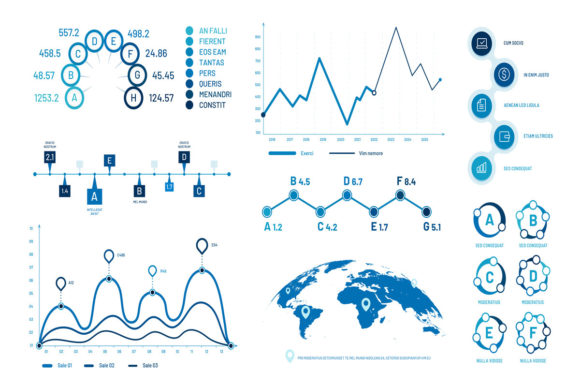
Evaluating Infographics Graph Charts for Professional Data Presentation
In the landscape of business communication and data visualization, selecting the right visual asset is often as critical as the data itself. Infographics graph charts represent a specific category of design resources that bridge the gap between raw statistical analysis and narrative storytelling. Unlike standalone charting software or bespoke illustration services, these pre-designed vector sets offer a middle ground for professionals who need to present complex information—such as histograms, bubble graphics, timeline charts, and progress diagrams—without commissioning custom artwork from scratch. Understanding the distinct nature of these assets, particularly when delivered as isolated vector illustration sign sets in EPS10 and JPEG formats, is essential for designers, marketers, and analysts evaluating their visualization toolkit.
Defining the Asset Class: Vector Sets vs. Generated Charts
To make an informed decision, it is necessary to distinguish infographics graph charts from dynamic data visualization tools. When you acquire a product file containing isolated vector illustrations, you are not purchasing a software engine that automatically plots your CSV data. Instead, you are acquiring a structured library of visual metaphors and graphical containers. These assets serve as high-fidelity templates designed to be populated manually within a vector editor like Adobe Illustrator.
This distinction defines the primary tradeoff. Dynamic tools (like Tableau, PowerBI, or Excel) excel at accuracy and speed when handling large datasets but often lack stylistic cohesion with brand guidelines. Conversely, infographics graph charts prioritize aesthetic consistency, thematic unity, and presentation readiness over automated data processing. They are distinct because they treat data visualization as a design element first and a mathematical representation second. The inclusion of both EPS10 and 72ppi JPEG files highlights this dual purpose: the EPS ensures scalability and editability for print and high-resolution displays, while the JPEG serves as a quick reference or low-fidelity placeholder during the drafting phase.
Comparing Formats and Technical Flexibility
When comparing options within this category, technical specifications dictate long-term utility. The EPS10 format is the industry standard for compatibility, ensuring that the isolated elements can be separated, recolored, and resized without loss of quality. This is superior to PNG-only packs or rasterized bundles, which lock users into fixed dimensions and color palettes. For professionals evaluating resources, verifying that the vector paths are clean and layered is as important as the visual style itself. A well-structured infographic set allows for the removal of specific elements or the editing of stroke weights to match corporate identity systems, whereas lower-quality alternatives may require redrawing entirely.
Assessing Visual Types and Use Case Fit
Not all data stories require the same visual treatment. Infographics graph charts typically bundle various diagram types, each serving a specific analytical function. Evaluating whether a specific set meets your needs requires mapping its contents to your recurring communication challenges.
- Histograms and Statistic Charts: Best suited for showing frequency distributions and comparative metrics. In vector sets, these are often stylized rather than mathematically rigorous. They are ideal for executive summaries where the trend matters more than the precise decimal point.
- Bubble Graphics: Effective for representing relationships between three variables or market segmentation. As static vector elements, these work best when the relative size differences are conceptual rather than strictly proportional.
- Timeline Charts: Essential for project roadmaps and historical context. Pre-designed timeline vectors save significant layout time compared to building chronological flows from scratch, provided the milestones align with the template’s structure.
- Progress Data Diagrams: Circular bars, thermometers, and percentage fillers. These are highly effective for KPI dashboards and status reports. Vector versions allow for precise adjustment of fill levels to match current performance metrics accurately.
If your primary need is exploratory data analysis where parameters change hourly, these static vector sets are likely the wrong choice. However, if your workflow involves quarterly reporting, pitch decks, or annual reviews where the narrative structure remains consistent while only the values update, infographics graph charts offer superior efficiency and visual polish.
Tradeoffs: Customization Effort vs. Design Consistency
The decision to utilize pre-made infographic assets involves balancing upfront time savings against ongoing maintenance effort. Because these are isolated vector illustrations, updating them requires manual intervention. Changing a bar chart from 45% to 60% involves manipulating anchor points or masking layers in Adobe Illustrator. For users comfortable with vector editing, this provides total control over the final look. For those accustomed to typing numbers into a spreadsheet and watching a chart update automatically, this workflow can feel labor-intensive.
However, the benefit lies in integration. Auto-generated charts often look pasted onto a slide or page, creating visual friction. Infographics graph charts are designed as cohesive systems. The line weights, color harmonies, iconography styles, and typography hierarchies are unified across the entire set. This consistency is difficult to achieve when mixing charts from different software sources. When evaluating alternatives, consider the value of this visual coherence. If brand perception and professional polish are key performance indicators for your deliverables, the manual update time is often a justified investment.
Evaluating Quality and Editability
When researching specific products, scrutiny should extend beyond the thumbnail preview. High-quality infographics graph charts feature modular construction. Elements should be grouped logically, allowing you to isolate a single timeline node or a specific histogram bar without breaking the surrounding geometry. Poorly constructed vectors may have merged shapes or expanded strokes that make editing nearly impossible. Always verify that the product description explicitly mentions editable vector formats and layer organization. The presence of a 72ppi JPEG is useful for mood boarding, but the EPS10 file is the actual working asset; ensure it meets professional production standards before licensing.
Decision Factors: When to Choose Vector Sets Over Alternatives
Selecting the right resource depends on the intersection of your technical skills, output volume, and aesthetic requirements. There are specific scenarios where infographics graph charts outperform other solutions.
Choose Infographics Graph Charts When:
- Brand Alignment is Non-Negotiable: You need data visuals that adhere strictly to a specific color palette and design language that standard charting tools cannot replicate easily.
- The Output is Static: Your deliverables are PDFs, printed reports, or video stills where interactive data exploration is unnecessary.
- You Have Vector Editing Proficiency: You or your team can comfortably navigate Adobe Illustrator to modify shapes, colors, and text.
- Narrative Context Matters: You are combining data with icons, illustrations, and text in a unified layout, rather than presenting a standalone analytical dashboard.
Consider Alternatives When:
- Data Accuracy is Paramount: Regulatory compliance or scientific precision requires mathematically exact plotting that manual vector manipulation cannot guarantee.
- Datasets Are Massive or Dynamic: You are visualizing thousands of rows or real-time feeds that would be impossible to update manually.
- Speed of Iteration Exceeds Design Polish: You need to test ten different chart variations in an hour to find insights, making the manual editing process a bottleneck.
Practical Implementation and Workflow Integration
For those who determine that infographics graph charts are the appropriate solution, maximizing value requires an efficient workflow. Since the product includes isolated elements, establishing a master template file is recommended. Import the EPS10 assets into a dedicated library panel in your vector editor. Create swatches based on your brand colors and apply them globally to the vector set. This preparation reduces the per-chart update time significantly.
Furthermore, leverage the JPEG previews for stakeholder approval cycles. Before investing time in precisely adjusting vector nodes for a progress diagram, place the low-res JPEG in a mockup to confirm the concept resonates with the audience. Only proceed to high-fidelity vector editing once the visual approach is validated. This prevents wasted effort on beautiful charts that ultimately do not serve the communication goal.
Ultimately, infographics graph charts are specialized tools for professional communicators. They occupy a vital niche between raw data analysis and graphic design. By understanding their strengths in visual consistency and their limitations regarding automation, professionals can effectively evaluate whether these vector assets enhance their presentation capabilities or if a different category of tool better serves their analytical needs. The choice should always stem from the specific demands of the audience and the nature of the story being told, rather than the novelty of the graphic alone.