Integrating Eco-friendly Architecture Infographics into Sustainable Design Workflows
Communicating complex sustainability metrics requires more than standard architectural renderings. Eco-friendly architecture infographics serve as a critical bridge between technical environmental data and stakeholder understanding. In modern design practice, these visual assets are not merely decorative additions; they are functional tools that translate energy efficiency ratings, material lifecycles, and carbon footprint analyses into digestible narratives. When integrated correctly into a project workflow, they facilitate faster decision-making, clearer client presentations, and more effective educational content.
For professionals managing sustainable building projects, the challenge often lies in organizing vast amounts of technical information without overwhelming the audience. This is where structured visualization becomes essential. By utilizing specialized templates, architects and marketers can standardize how green building concepts are presented, ensuring consistency across proposals, reports, and digital platforms. The focus shifts from creating graphics from scratch to strategically populating pre-designed frameworks with accurate project data.
The Role of Visualization in the Project Lifecycle
Eco-friendly architecture infographics function differently depending on the phase of the project. Understanding these distinct use cases helps teams deploy visual assets more effectively. Before construction begins, these graphics are primarily persuasive and explanatory. During the design development phase, they become analytical. Post-occupancy, they transform into educational or marketing collateral.
Pre-Design and Proposal Phase
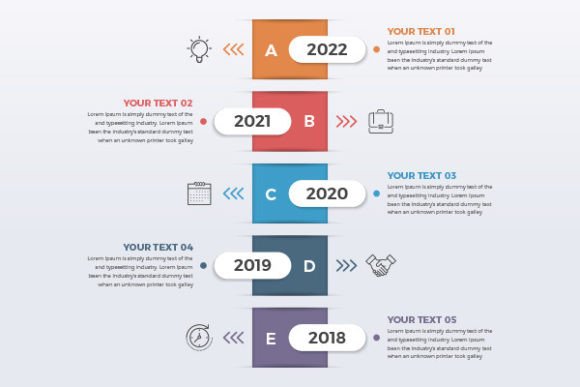
In the early stages, clarity drives approval. Clients and investors need to understand the value proposition of sustainable features before committing capital. Process timeline info charts are particularly valuable here. They map out the sustainability journey, showing milestones such as LEED certification checkpoints, material sourcing schedules, and energy modeling reviews. A well-structured timeline reduces perceived risk by demonstrating a methodical approach to green building standards.
Workflow layouts with line icons help illustrate the integration of passive design strategies. For example, a diagram showing natural ventilation flows or solar orientation can be more convincing than a paragraph of text. These visuals allow non-technical stakeholders to grasp spatial relationships and environmental benefits quickly, facilitating smoother approvals and budget allocations.
Design Development and Technical Documentation
As the project advances, the infographic’s role shifts to technical communication. Data visualization with steps becomes necessary to explain complex systems like greywater recycling or geothermal heating. Here, precision matters more than persuasion. Templates that offer modular step-by-step layouts allow engineers and architects to break down mechanical systems into logical sequences. This ensures that contractors and consultants share a unified understanding of installation requirements and performance expectations.
Post-Construction and Marketing
Once a building is operational, eco-friendly architecture infographics support tenant education and property marketing. Brochure infographic templates can be adapted to create user guides for building management systems or promotional materials highlighting net-zero achievements. Consistency in visual language reinforces brand identity and trust. Using the same icon set and color palette from the proposal phase through to the final marketing collateral creates a cohesive narrative that validates the project's sustainability claims.
Leveraging Template Bundles for Workflow Efficiency
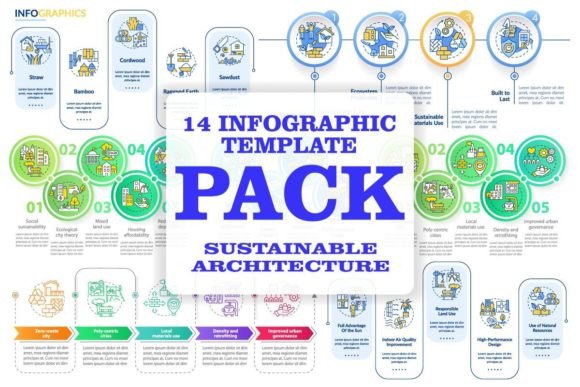
Creating custom data visualizations for every project is resource-intensive and prone to inconsistency. Utilizing an eco-friendly architecture infographic template bundle streamlines production while maintaining professional quality. A comprehensive zip file containing 14 infographic templates provides a versatile library of layouts suited for various data types, from statistical comparisons to process flows.
File Format Compatibility and Integration
Technical compatibility determines how smoothly these assets fit into existing workflows. Professional bundles typically include EPS, SVG, PNG, JPEG, and AI formats, each serving a specific purpose in the production pipeline:
- AI and EPS: Essential for print production and deep editing. These vector formats allow designers to modify colors, scale elements without quality loss, and integrate custom typography. They are the master files for brochure layouts and large-format signage.
- SVG: Critical for web and mobile app screen pages. Scalable Vector Graphics ensure crisp rendering on all device sizes and support CSS animation. For firms developing sustainability dashboards or interactive client portals, SVGs provide the flexibility needed for responsive design.
- PNG and JPEG: Optimized for rapid sharing in presentations, emails, and social media. Having pre-exported raster versions allows team members without vector software to insert visuals into PowerPoint decks or Word documents instantly.
This multi-format approach eliminates bottlenecks. A project manager can use a JPEG for a quick email update, while the graphic designer uses the AI file to refine the final report cover. This interoperability ensures that visual communication keeps pace with project deadlines.
Practical Implementation Strategies
Owning templates is only the first step; integrating them effectively requires a systematic approach. Teams should establish protocols for customization to maintain visual integrity while adapting to specific project needs.
Establishing a Visual System
Before populating templates, define a project-specific visual hierarchy. Select a primary color palette derived from the project’s branding or environmental theme. Assign specific line icons to recurring concepts—for instance, always use the same icon for "solar gain" or "insulation" across all documents. This semantic consistency reduces cognitive load for the viewer. When audiences learn that a specific icon represents water conservation, they process subsequent infographics faster.
Data Preparation and Accuracy
Infographics are only as good as the data they represent. Prepare datasets before opening design software. Clean, structured data prevents errors during the layout phase. For process timeline info charts, verify dates and dependencies with the project scheduler. For energy performance visuals, confirm metrics with the sustainability consultant. Integrating this verification step into the workflow prevents costly revisions and protects professional credibility.
Customization vs. Standardization
While templates provide structure, over-standardization can make outputs feel generic. Balance efficiency with specificity by customizing key elements. Retain the underlying grid and layout logic of the template but swap generic placeholders for project-specific photography or detailed diagrams. Adjust line weights and icon styles to match the firm’s broader design language. This hybrid approach leverages the speed of templating while delivering bespoke quality.
Expanding Beyond Architecture: Brochures and Mobile Interfaces
The utility of these visual assets extends beyond traditional architectural documentation. Modern sustainability communication happens across multiple touchpoints, requiring adaptable design resources.
Brochure Infographic Templates
Printed and digital brochures remain vital for stakeholder engagement. Brochure infographic templates within the bundle are designed with fold lines and safe zones in mind, bridging the gap between digital data viz and physical collateral. These layouts prioritize readability at smaller scales, using concise text blocks and clear iconography. They are ideal for community consultations, investor packets, and sustainability reports where tactile engagement adds value.
Mobile App Screen Pages
As smart buildings and tenant apps become standard, mobile-first visualization is increasingly relevant. Templates optimized for mobile screens account for vertical scrolling, touch targets, and limited bandwidth. These assets help developers create interfaces where users can monitor real-time energy usage or access building certifications. Integrating SVG-based infographic elements into app designs ensures performance remains high even when displaying complex environmental data.
Quality Control and Long-Term Asset Management
Sustainable design practices evolve rapidly, and so must your visual assets. Implementing a version control system for infographic templates prevents the use of outdated standards. When new regulations emerge or certification criteria change, update the master AI files and re-export derivatives. Maintain a centralized library accessible to all team members to ensure everyone works from the latest versions.
Regular audits of visual effectiveness are also recommended. Track which infographic types generate the most engagement or facilitate the fastest approvals. If process timelines consistently receive positive feedback but data-heavy charts cause confusion, adjust the template mix accordingly. Treat your visual asset library as a living system that improves through iterative refinement based on real-world project outcomes.
Staying Current with Visual Trends and Resources
The intersection of sustainability and design is dynamic. New visualization techniques, icon styles, and data presentation methods emerge regularly. Staying updated ensures your communications remain fresh and effective. BSD Studio offers continuous updates to its resource library, including new topics and discounts every week. Subscribing provides access to evolving icon sets, updated brochure infographic templates, and fresh mobile app screen pages tailored to current industry needs.
By treating eco-friendly architecture infographics as integral workflow components rather than afterthoughts, professionals can significantly enhance how sustainability is communicated. The combination of strategic planning, compatible file formats, and systematic implementation transforms raw environmental data into compelling, actionable insights. Whether preparing a client proposal, documenting technical systems, or launching a tenant app, the right visual framework ensures that the message of sustainable design is delivered with clarity, precision, and impact.